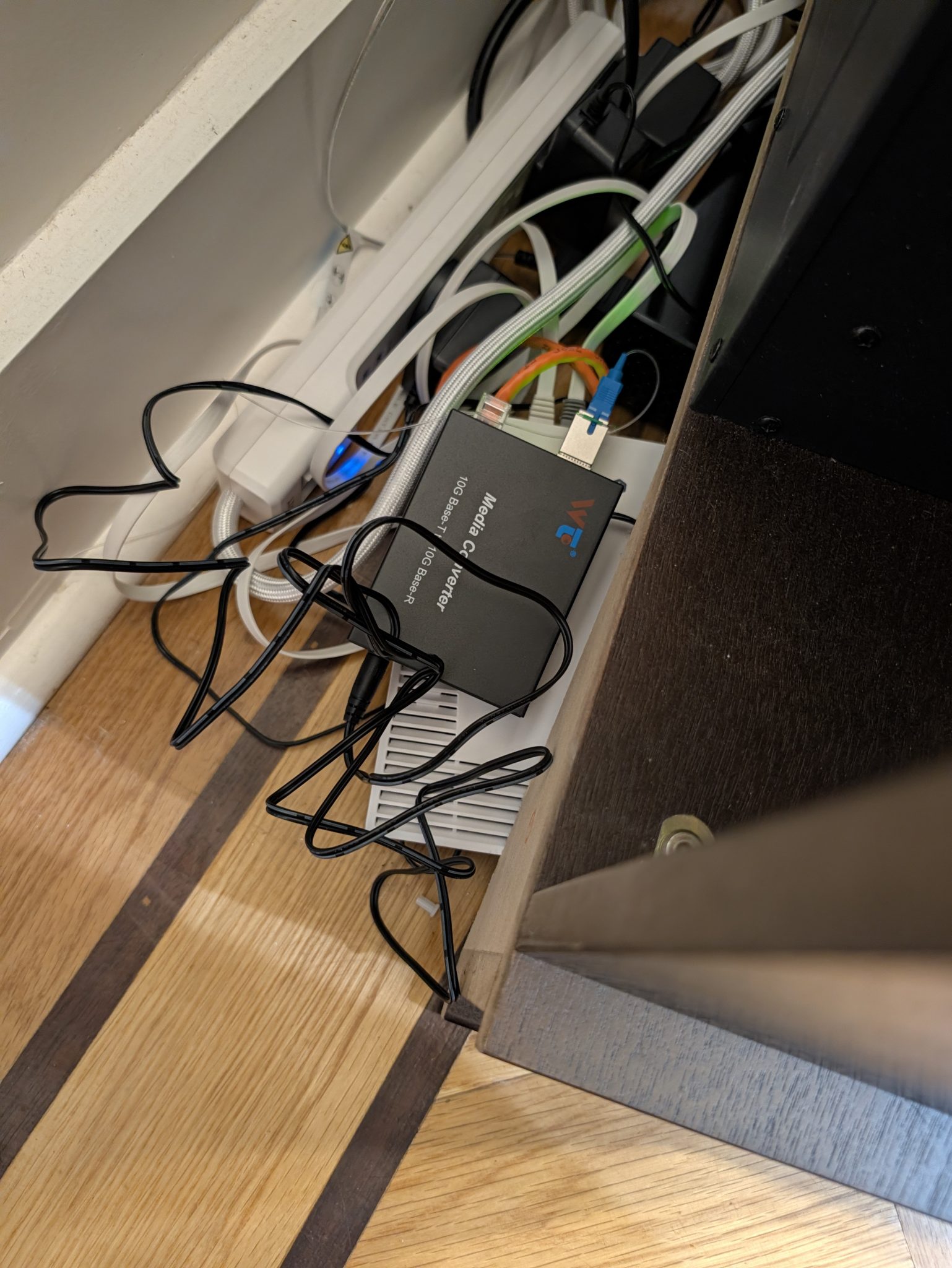
Great post! In every apartment I've lived in I've done something similar and it keeps the wife happy enough, even though there are technically cables running everywhere (just make sure to not make a mess of things at the switch side if you run a lot...).
Some other notes for those trying to adapt things to their own situations and set ups:
- As others have said, give ample time to trying to recrimp the cables first. It seems this post skips past that as it didn't work out for the author, but it should be the first step for anyone reading.
- RJ45 SFP+ adapters that don't get super hot and do the full range exist now if you need to use them somewhere. Just don't expect them to be the cheap ones!
- If you do try to go with a wireless mesh, make sure it's APs which can mesh on the 6 GHz band. It won't help you punch through lead lined walls or anything but stuff like the HP25s with only 2.4+5 GHz can only ever give misery to begin with. Not that Wi-Fi will compete with glass regardless, but it can actually be pretty decent with 6 GHz mesh.
- The media converters and SC transceivers do use IEEE standards. Functionally they are 2 port switches in transparent mode. More expensive to build something custom when the goal is just to transport Ethernet with Ethernet media anyways, plus it increases the use cases of the product to be normal Ethernet on both ends rather than just a paired device for solely this scenario.
- As such, if you do multiple runs consider putting a switch with SFP/SFP+ ports at the head end instead of media converters. Try not to spend more than ~$120 on an 8 port 10G switch for this if you go this route, it's easy to spend more to get less.
- Instead of media converters, consider getting mini 4+2 switches (4 RJ45 up to 2.5G + 2 SFP+ up to 10G) from Aliexpress or wherever. They tend to be about the same size as a media converter and go in the ~$30 price range. The benefit being if you ever need to plug another device in near that one you have 3 other ports already available to use that 10G uplink with. You can also daisy chain them with the 2nd 10G port, which works great so long as you don't need all 10G to a single device all the time. The only case it's not great is when you really want to turn that run into a single 10G RJ45 port, here the media converter would be significantly cheaper.
- Unless you have another reason to (e.g. have existing cables or free stuff), I'd recommend going with single strand LC fiber. SC is pretty much only found in service provider networks these days and also has a bulkier end. Not that LC is "wrong", but if I were buying new for home networking I'd probably do LC. Regardless what you go with, make sure to get the bidirectional transceivers for it.
- If you're cheap you can go for 1G transceivers & switches, but if you're doing all of this instead of dealing with Wi-Fi you're probably in the group that would like to just spend slightly more for a 10G network.
You can spend a lot of time reading about singlemode vs multimode, APC vs UPC, SC vs LC, and further details of each but none of it will really matter in a home. E.g. if you take an SR optic connected to an APC cable which is butted to a UPC cable and then plug that into your switch it'll probably work fine. Just don't let your local network guy see it or they might throw up. The only things you REALLY have to get right are:
- Match the bidi optics on each side. If you order a pair this is done for you, if you order individually make sure to buy both types instead of 2 of the same type.
- Connect them with a fiber cable.
But if you want a chef's kiss from your local network guy get LR, OS2, and consistently order APC/UPC, with APC being the preferred all else equal.